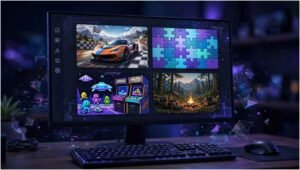
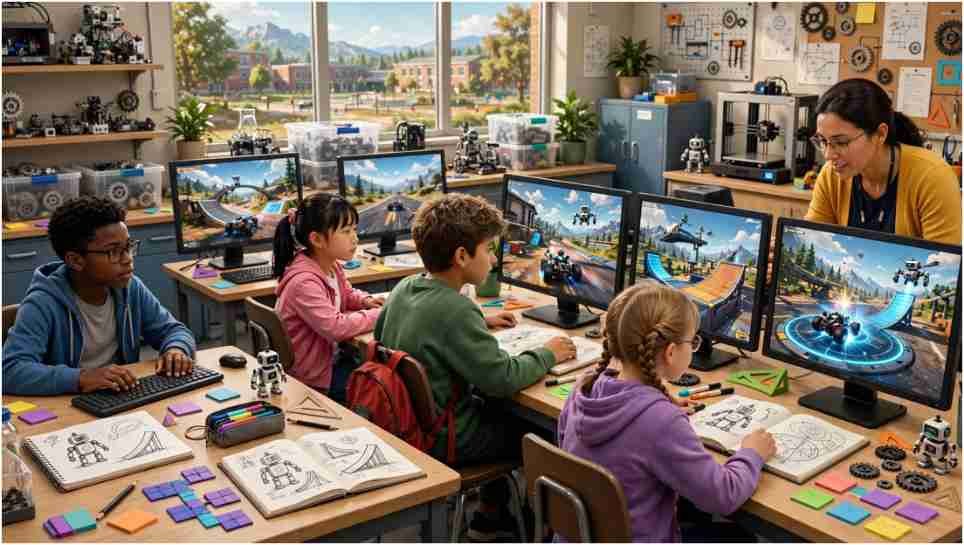
Acceleration City grabbed my attention because it does something most racing games avoid: it makes programming part of the driving. You do not merely steer toward a finish line. You decide how a programmable robot companion can help you explore, race, and collect unusual creatures called Minanimals.
The concept sounds playful, but it has serious educational value. Players connect a programmed action with an immediate result on the road. That quick feedback makes coding feel less like an abstract lesson and more like a useful racing tool.
What Makes the Game Different?
Carnegie Mellon University’s Robotics Academy describes the title as an open-world driving game. Players select vehicles, enter races, collect Minanimals, and explore with a personal CoBot. The robot can generate ramps, platforms, and boost pads within the game.
The project was co-designed by Carnegie Mellon researchers and students from the Boys & Girls Clubs of Western Pennsylvania. That collaboration matters. Instead of creating an educational activity based only on adult assumptions, its designers included young people in the development process.
The Carnegie Mellon P3G research page explains that the broader project explores player-programmed partners. Its goal is to give learners agency while increasing access to computing education outside conventional classrooms.
Unlike collections such as G Plus Games, this experience has a defined educational purpose. Racing supplies the motivation, while programming controls how the player’s companion contributes.
How Does CoBot Programming Affect Each Race?
The CoBot is not a decorative passenger. It responds to programmed instructions and helps players interact with the environment. Official descriptions confirm that it can create useful objects, including platforms, ramps, and boost pads.
This design changes the basic question behind a race. Instead of asking only, “How fast can I drive?” I found that the better question is, “What support should my CoBot provide at this point?” That small shift introduces planning, cause and effect, and debugging.
How Do Keypress Controls Work?
During exploration, players can program the companion to respond to keypresses. Pressing a selected key can activate an assigned action. This gives players direct control over when their code affects the environment.
A beginner should assign one clear action first. Test it in an open area and observe the result. Adding several instructions before understanding the first one makes errors harder to identify.
Players familiar with touch-based software such as Delta iOS may expect screen controls. However, this game’s confirmed keypress mechanic makes a desktop or laptop keyboard the safer starting choice. Official sources do not promise identical performance on every mobile device.
What Are Colored Trigger Zones?
Races use colored trigger zones to activate programmed CoBot behavior. A vehicle crossing the appropriate zone causes the companion to perform the linked instruction. The track therefore becomes part of the program.
This mechanic teaches event-based logic without burying the learner in terminology. The colored area acts as an event, while the programmed CoBot move becomes the response. Players see the connection while continuing to race.
Which CoBot Experiments Should You Try?
Start with verified abilities rather than online claims about secret commands. Place a ramp near an approach route and compare different vehicle speeds. Next, use a platform where the terrain interrupts your intended path. Test a boost pad on a straight section before trying it near a turn.
These are experiments, not guaranteed “hidden stunt” recipes. The available objects are confirmed by Carnegie Mellon’s overview, but results may depend on placement, timing, vehicle choice, and the current game version.
My favorite original exercise is the ramp-distance test. Choose one approach point and make three runs at different speeds. Record whether the vehicle falls short, lands cleanly, or overshoots. This turns a flashy jump into a small experiment involving prediction and evidence.
A second useful challenge is the minimum-code test. Try to reach a visible area using the fewest CoBot actions possible. The exercise rewards efficient thinking rather than random block placement.
How Can Beginners Improve Their Results?
New players should explore before chasing perfect race times. Learn how the vehicle turns, accelerates, and reacts to uneven ground. Once those controls feel natural, introduce one programmed action.
Changing one variable at a time produces clearer results. If you switch the vehicle, action, placement, and speed together, you will not know which change improved the attempt.
What Is the Three-Run Testing Method?
On the first run, use a basic program without trying to optimize it. Treat that attempt as your baseline. Notice where the CoBot action appears and what the vehicle does afterward.
During the second run, change one element. Adjust the activation point, approach speed, or selected object—but only one. Keep the change if the result improves.
Use the third run to confirm the result. If the same setup works again, you have stronger evidence that the adjustment helped. This three-run method introduces controlled testing without making the game feel like homework.
What Does the Game Teach Through Racing?
The activity develops sequencing because instructions must occur in a useful order. It also strengthens debugging skills. When an action happens too early, too late, or in the wrong place, players must locate and correct the problem.
It also encourages decomposition. A difficult route becomes easier when divided into smaller questions: Where do I need support? Which object can help? When should it appear? What should I change after a failed attempt?
Code.org lists the activity for grades 2–8 and identifies block programming as its coding format. That makes it approachable for students who have not written text-based code. See the Code.org activity catalog for its listed grade range and format.
How Can Parents and Teachers Use It Productively?
Adults should begin with a specific challenge rather than asking students to play without direction. A good 30-minute session could include ten minutes of exploration, fifteen minutes of testing, and five minutes of reflection.
Ask the learner to explain one failed attempt. Questions such as “What did you expect?” and “Which instruction will you change?” reveal more understanding than a completed race alone.
The project received support connected to National Science Foundation Grant 1906753. Readers can use the National Science Foundation award search to investigate publicly funded educational research and verify grant information.
FAQs About the Game
1. Is Acceleration City free?
Carnegie Mellon describes it as freely available through the CS-STEM Network.
2. Where can I play Acceleration City online?
Use the official activity page at activities.cs2n.org/acceleration-city.
3. Do beginners need coding experience?
No. The activity uses blocks and is listed for grades 2–8.
4. Can I play it on a phone?
Compatibility may vary; a computer with a keyboard is the safer option because keypress programming is a confirmed feature.
Shift Into Code and Take the Smarter Route
Acceleration City works best when you stop treating every mistake as a failed race. A misplaced ramp or poorly timed boost gives you evidence for the next attempt.
Start with one CoBot action, test it three times, and change only one variable between runs. Speed may win a race, but smart code makes the journey far more interesting.